Author: Kamil

  • OctoPi OLED Monitor [WemOled]

    OctoPi OLED Monitor [WemOled]

    I love all about Espressif . ESP8266, ESP32, are great and cheap microcontrollers. Much faster then ‘Arduino’. With a BT and WiFi onboard. I I have made a dozen diverent devices using Wemos or NodeMcu. One of them, was a temperature monitor. This device was closed with a alloy housing and worked pretty good. But then i bought a 3D printer, and decided to create the best WEMOS + OLED housing 🙂

    Later on I discovered OctoPrint and Printer Monitor (PM) by Qrome. This one let you see the basic parameters of print job. I’m not gonna talk about PM software. If you’re  ‘Arduino’ guy, uploading they code will take you 10 minutes. All PM configuration is made by the www interface!

    Going back to design.

    This case was designed for Wemos D1 and 0.96″ OLED display – version I2C. Keep in mind, that I2C version use only four wires to run, while SPI – seven. These seven wires will not fit in the HINGE.

    How to print.

    I printed mine monitor with a PLA and PETG. It good idea to print HINGE and BASE with the same material type.

    • DISPLAY Print with No supports
    • HINGE Print with No supports
    • BASE Print with supports Only touching build plate
    • COVER Print with supports Only touching build plate
    • HOOK Print with No supports

    Assembly.

    There is a sequence you must follow. Otherwise, you will get flustrate 🙂

    • Desolder all goldpins from OLED and Wemos.
    • Prepare four thin cables, about 95 mm long each.
    • Solder this cables to the OLED display. Make sure you know which cable corresponds which display PIN (write it somewhere)
    • Slide all four cables through the HINGE. Try to keep them in order.
    • Take three 2^6mm screws, and screw down HINGE and DISPLAY.
    • Take a 2^6mm screw and cut the thread in HINGE. Simply screw and unscrew. This will help you later on.
    • Now the tricky part. Put all four cables into the HINGE. Next place all of them into the horizontal gap. This in ONLY way, tu assembly HINGE without cutting the cables.
    • While the cables are in the place,
    • gently slide HINGE into BODY
    • Take the 2^6 screw and secure the HINGE.
    • Solder cables to WEMOS and snap it to COVER.
    • Now it’s time for test
    • Slide COVER to BASE and secure with a 2^6mm screw from the bottom.
    • An you are done!

    • Optionality, you can use wall hook


    1. [vrm360 canvas_name=s2 model_url=https://theveel.com/wp-content/uploads/2020/04/Oled-Wemos-D1R2-v14_BLOG.stl aspect_ratio=1.33333 hide_cmds=] [sdm_download id=”4175″ fancy=”1″ new_window=”1″ color=”green”]

    Please consider SUBSCRIBE for a new posts. Just clik the bell on bottom left side. Thanks!
  • [#covidDesign] BIT SCREWDRIVER

    [#covidDesign] BIT SCREWDRIVER

    Simple screwdriver for a 1/4″ bits. I designed a 5×2,5 mm gap for a small magnet. It is not mandatory, but may be usefull if yours bits are too loose. Simply use Pause at height/layer option in slicer software and put magnet while printing.

    Pause for magnet

    Printing setup

    Filament PETG or similar, no supports. Raft or brim: maybe. Depends bed adhesion.

    [sdm_download id=”4044″ fancy=”1″ new_window=”1″ color=”green”]

    [vrm360 canvas_name=s2 model_url=https://theveel.com/wp-content/uploads/2020/04/Screwdriver.stl aspect_ratio=1.33333 hide_cmds=]


    Please consider SUBSCRIBE for a new posts. Just clik the bell on bottom left side. Thanks!
  • BIGTREETECH 25.3 FIRMWARE UPDATE

    BIGTREETECH 25.3 FIRMWARE UPDATE

    It took me seven hours, but all icon packs should be work with 25.3 firmware. If you did order any, just find purchase email and download files. They should be all updated. Have a nice weekend!

  • [#covidDesign] iPad 3d printed stand

    [#covidDesign] iPad 3d printed stand

    I made this stand for my iPad 2th, but the shape it’s based on iPad 7th. After all, should fit to all modern tablets and smartphones. This design requaire no screws. Just quick-lock joint. Print this with a (tiny) supports. Infill about 10-20%. Material – probably something stronger then PLA, but who knows… Printing time is about 100 minutes with a 0.4 nozzle. Also, you can put a tiny magnet (5×5) on the back in hinge. But this is optional. In download, you will find an .stl and .step files.

    Please leave comment below if you find this interesting.  Also feel free to share this post 🙂

    [sdm_download id=”3949″ fancy=”1″ new_window=”1″ color=”green”]

    [vrm360 canvas_name=s2 model_url=https://theveel.com/wp-content/uploads/2020/03/upper_and_lower_foot_4blog.stl aspect_ratio=2.0 hide_cmds=]

     
  • [#stayTheFuckHome] icon pack for TFT35 displays

    [#stayTheFuckHome] icon pack for TFT35 displays

    I came back from vacation in Fuerteventura, Spain. And my government told me to stay in the flat for the next 14 days. Home quarantine. So much time to kill.

    You should do the same. #stayTheFuckHome and update yours TFT display 🙂

    [sdm_download id=”3873″ fancy=”1″ new_window=”1″ color=”green”]

  • Headset Hanger #covidDesign

    Headset Hanger #covidDesign

    I’m quarantined for two weeks because of a vacation in Spain. That’s why I decided to finish a few projects and describe them on the blog.

    The first is the headset hanger. It is designed to fit a table top with a width of 28 to 32 mm. If you need a different spacing, please let me know in the comment.

    [vrm360 canvas_name=s2 model_url=https://theveel.com/wp-content/uploads/2020/03/HEADSET_HANGER.stl aspect_ratio=1.33333 hide_cmds=]


    [sdm_download id=”3860″ fancy=”1″ new_window=”1″ color=”green”]

  • [SJØ] icon pack for the BigTreeTech LCD TFT display family

    [SJØ] icon pack for the BigTreeTech LCD TFT display family

    The genesis of this theme.

  • [Lime] updated and refreshed.

    [Lime] updated and refreshed.

    I didn’t plan to update this package, but you are still asking about it, which means that you like it. Thank you 🙂

  • [Rödgul] icon pack for the BigTreeTech TFT display family

    [Rödgul] icon pack for the BigTreeTech TFT display family

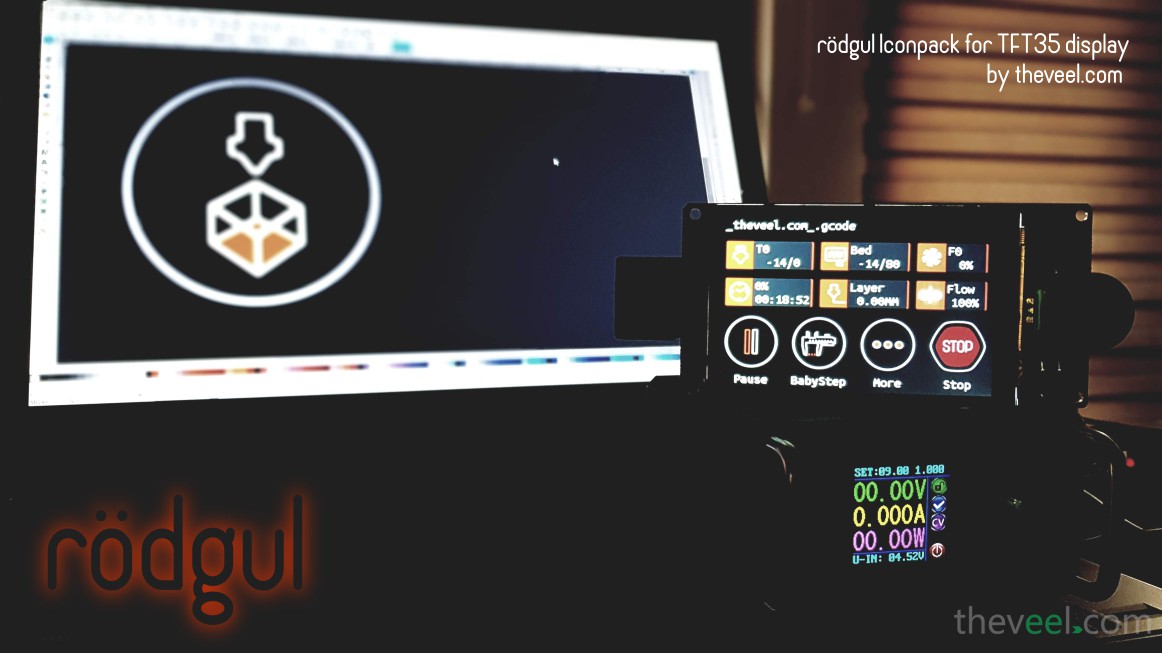
    Another icons, this time based on Mörk theme. And yes, the inspiration was Prusa MINI 🙂

  • [Mörk] icon pack for the BigTreeTech TFT display family

    [Mörk] icon pack for the BigTreeTech TFT display family

    My second approach to icon pack for TFT35 displays from BigTreeTech. This time less colored then Lime. Hope you will find my work interesting.